
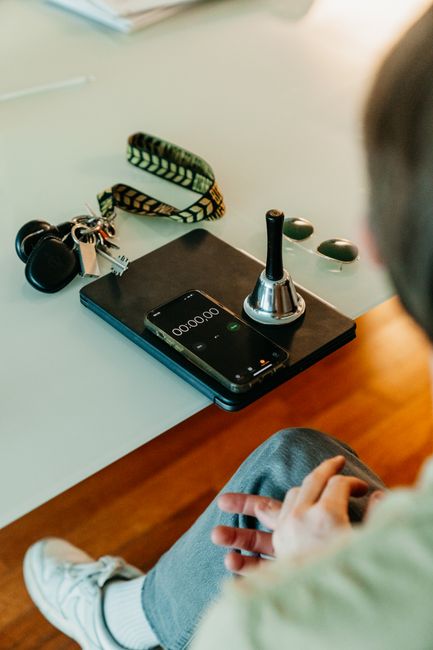
In a LifeQuest focus session, your phone shows the countdown, but the server measures the elapsed study time used for full XP. Backgrounding the app, switching screens, or changing the handset’s clock does not pause or rewrite the server’s record.
In 1999, NASA’s Mars Climate Orbiter approached Mars with teams expecting it to enter orbit. The spacecraft disappeared instead.
The investigation found a measurement mismatch. Lockheed Martin software had supplied thruster data in pound-force seconds, while navigation software at NASA’s Jet Propulsion Laboratory expected newton-seconds. The numbers moved between systems, but their meanings did not match. NASA’s Mars Climate Orbiter Mishap Investigation Board Phase I Report documents how this failure contributed to the loss of the spacecraft.
The lesson reaches beyond spaceflight: when two systems can describe the same event differently, one source must hold the authoritative record.
One focus session, two different jobs
A countdown has a simple job. It helps you see how much time remains.
Your phone handles that display because it is the screen in front of you. It takes the session’s server-issued start time and calculates what the countdown should show. That makes the timer useful at a glance without granting the handset authority over the result.
The server has the second job. When you start a qualifying focus session, LifeQuest records the start on the server. When you finish, the server calculates elapsed time using its own clock. That result determines whether the session qualifies for full XP.
This separation matters because phones are busy, changeable devices. You might answer a message, lock the screen, open another app, or leave LifeQuest in the background while reading a document. Mobile operating systems can slow or suspend app activity. A device-side counter may stop updating even while real time continues.
LifeQuest avoids making XP depend on whether a local animation received every tick.
What happens when the app leaves the foreground
Suppose you start a chemistry focus quest, study from a printed workbook, and lock your phone. Twenty minutes later, you return.
The local countdown may need to refresh, but LifeQuest does not treat that refresh as twenty minutes of new evidence. The app recalculates the display from the server-issued start time. If you were away, it tells you how long you were gone and makes clear that nothing paused.
When you finish, the server checks its own timestamps. Changing the clock shown on your phone does not alter those timestamps. Keeping the screen awake does not earn extra credit. A frozen animation does not erase valid elapsed time.
There is an important boundary here. Server timing establishes how much time passed between starting and finishing the session. It cannot prove that every second contained perfect concentration. LifeQuest uses the evidence the method can honestly provide, without stretching it into a claim it cannot support.
That same principle shapes the wider verification system. Photo proof asks whether submitted evidence is plausible. GitHub verification checks for a qualifying public push after a coding quest was created. Self-report remains available for half XP when objective proof does not fit the task. Each method answers a specific question.
Why the server gets the final say
Putting the final calculation on the server creates one consistent record across the responsive browser experience, installed PWA, and Android app. You can use the same LifeQuest account in each without asking whichever device happens to be open to become the timekeeper of record.
It also keeps the reward tied to elapsed server time instead of a device-side counter that users or operating systems can influence. The phone communicates progress. The server settles the measurement.
This is the practical distinction between feedback and evidence. Feedback helps you act during the session. Evidence determines what the session earns afterward.
A related explanation, Server-Timed Focus Sessions: How a Backgrounded App Still Awards Full XP, follows that process through the backgrounding case. If your concern is battery loss rather than switching apps, LifeQuest Focus Sessions: Why a Dead Phone Does Not Stop the Server Timer covers the same design boundary from another angle.
Design the measurement before the reward
The Mars Climate Orbiter investigation did not describe a bad-looking display. It exposed a deeper failure: separate systems handled a consequential measurement without preserving one shared meaning.
LifeQuest applies the smaller, everyday version of that lesson. Your handset can render seconds, play the optional focus music, and show when the session is ready to finish. The record used for XP stays with the server clock that started the session.
For your next focus quest, start the timer, study where the work actually happens, and let the phone update when you return. Watch the display for guidance. Let the server account for the time.
Comments
No comments yet.